1. The source stays authoritative — 0:00
Torah and Chassidus Translate is a workspace for photographed or scanned Hebrew and Yiddish texts. Its first principle is simple: the source stays authoritative. Artificial intelligence can produce a useful first pass, but difficult typography, abbreviations, page damage, and specialized terminology can still cause errors. Keep the image visible, compare every important phrase, and treat the generated result as material for review rather than a final authority.
2. Start with a named project — 0:36
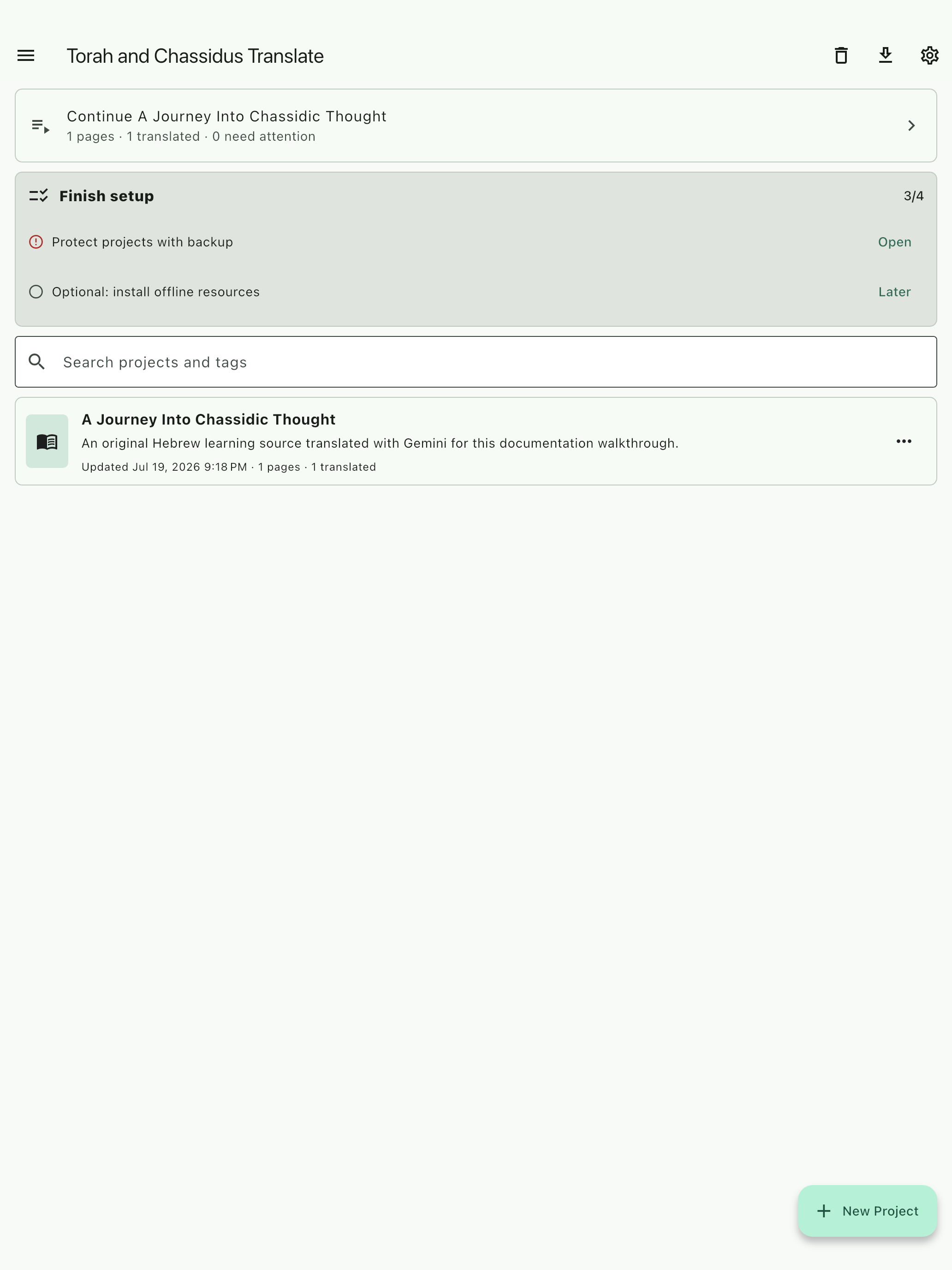
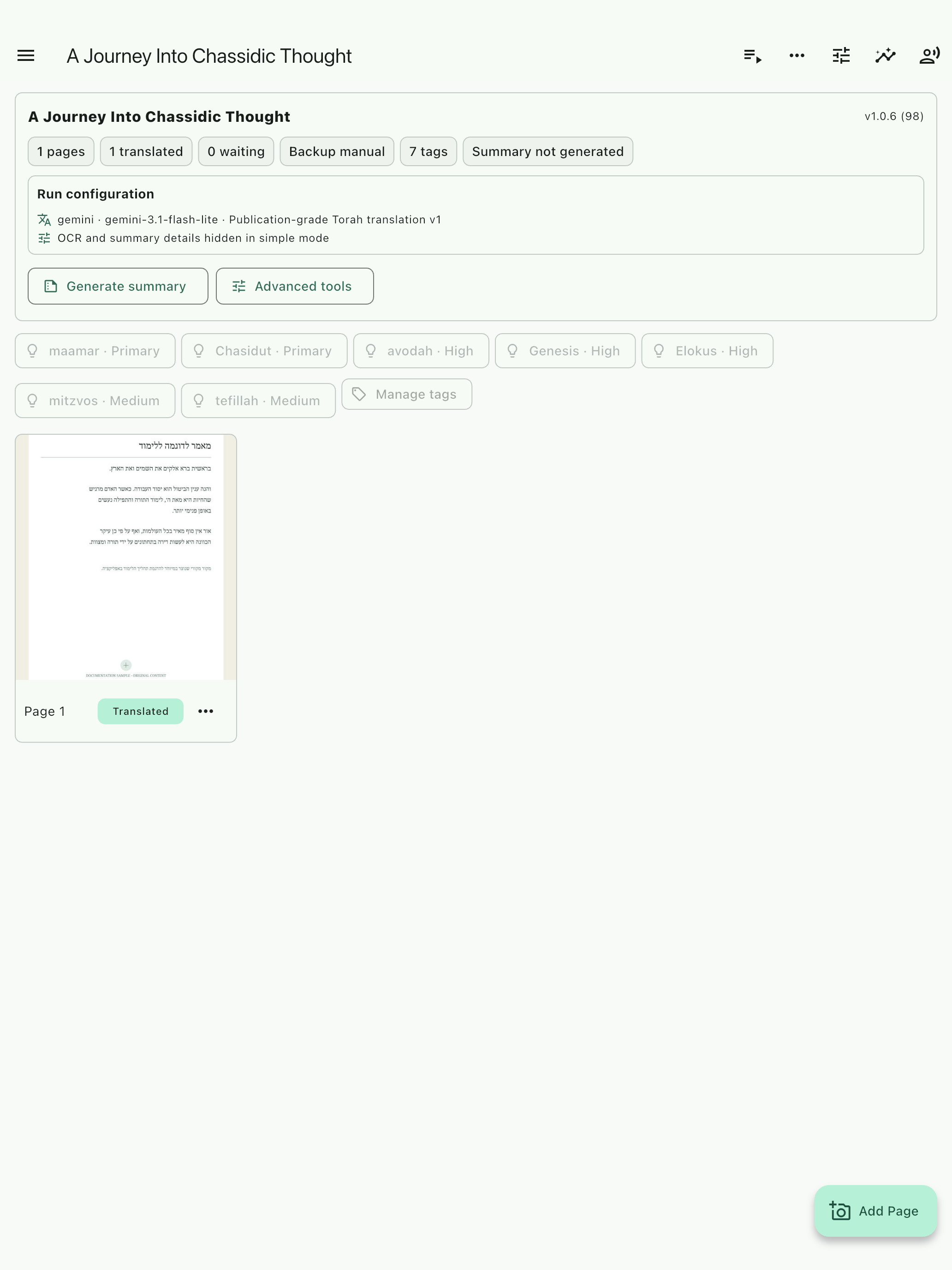
Start by creating a clearly named project for the book, section, class, or research task. A project is more than a folder. It keeps the source pages, page identity, tags, translation runs, saved notes, and review items together. This matters because a later question should be grounded in the same source you are reading. A clear project name also produces more useful export filenames and makes backups easier to understand.
3. Connect a provider safely — 1:11
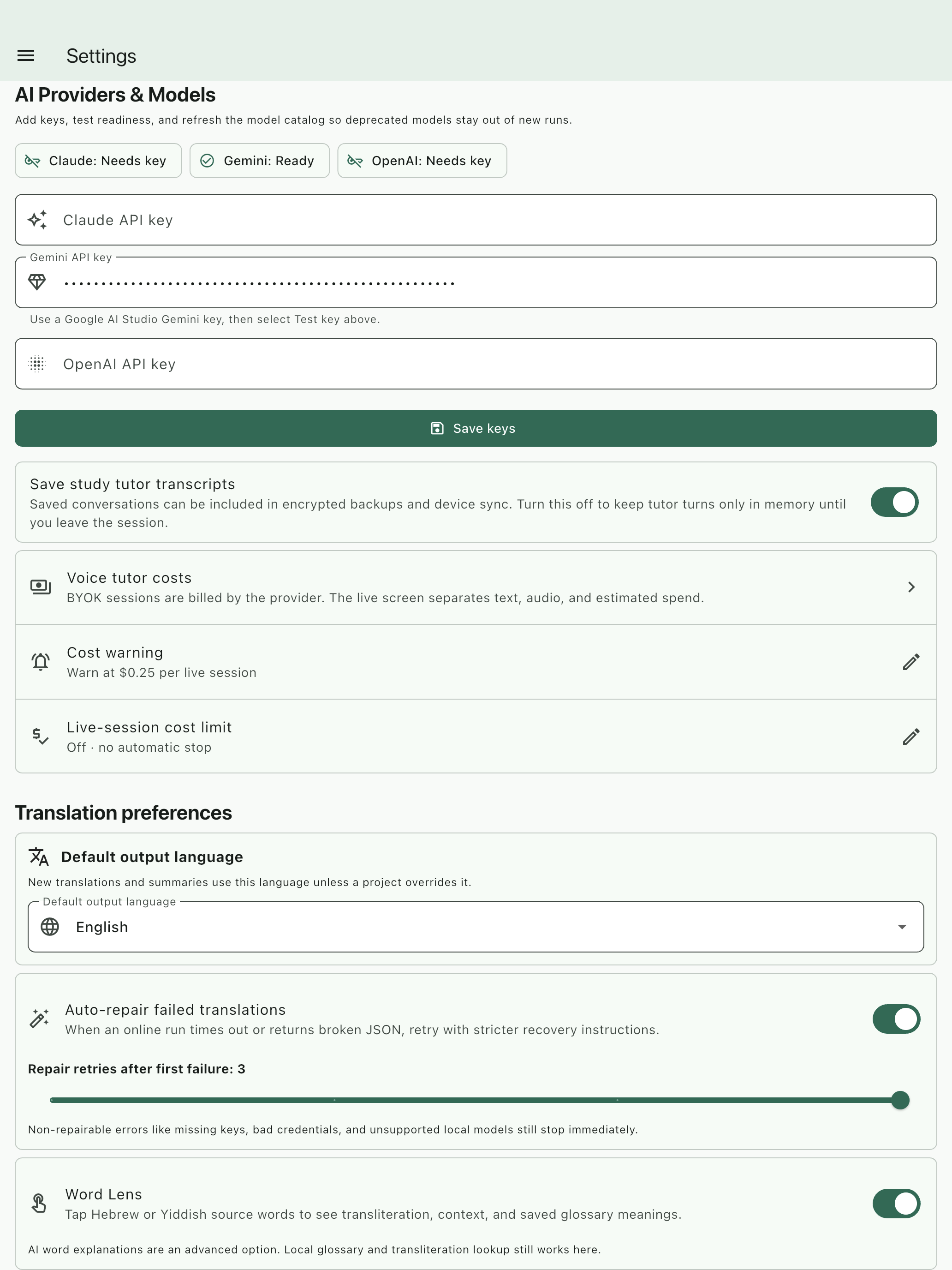
The app supports provider configuration, including bring your own key. Enter credentials only in the secure settings interface and confirm readiness without displaying the key in screenshots, recordings, or support messages. Cloud providers may receive the text, images, or audio required for the selected task. Their invoices and terms remain authoritative. Compatible local tasks can reduce cloud transfer, but local models require downloads, storage, memory, and device processing.
4. Import and verify one page — 1:47
Import a representative scan, photograph, or PDF page. Before translating, confirm that the image is oriented correctly and remains available for comparison. Review the editable OCR because recognition mistakes can become prompt context. Check the printed page identity as well. A standalone number such as three hundred sixty-one should be treated as a page number unless the source explicitly says volume, vol, chelek, or another clear volume label. Correcting identity early prevents misleading titles and exports.
5. Translate a test page — 2:28
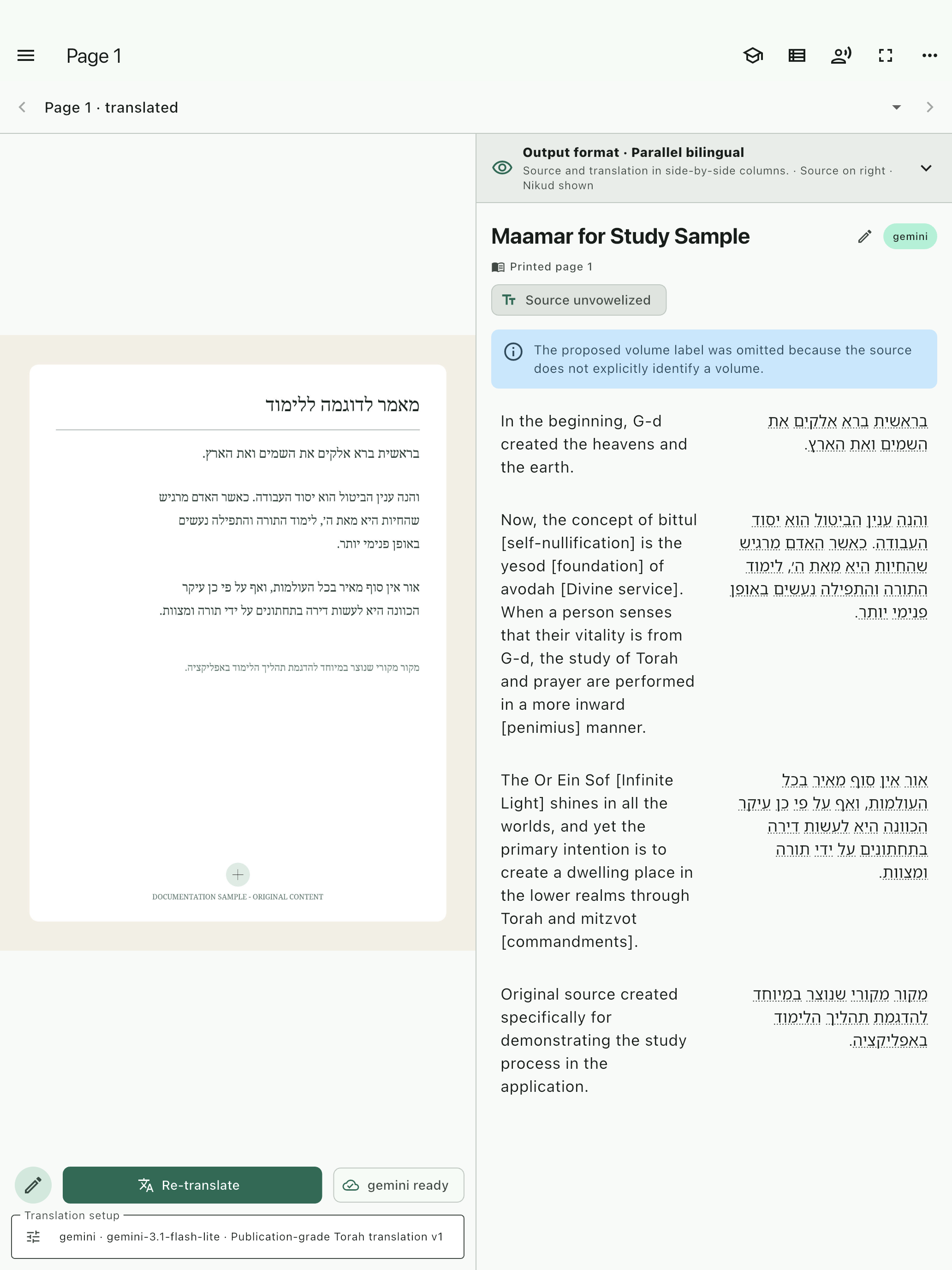
Now configure one translation run deliberately. Select the provider and model, source and target languages, template, and the quality level appropriate for the task. Translate one representative page before committing a long document or significant provider cost. The test page reveals whether OCR quality, language direction, prompt choices, and structure are working together. If something is wrong, adjust the page or configuration while the correction is still small and easy to understand.
6. Review in parallel — 3:05
Review the result in the parallel view. Keep the original page, editable source text, and structured translation within the same reading context. This arrangement makes it easier to inspect a phrase, notice missing material, and distinguish a translation choice from an OCR problem. Pay special attention to names, quotations, page headers, abbreviations, and theological or technical terms. A readable result is useful, but a result that can be checked is more trustworthy.
7. Continue the learning loop — 3:43
After the first translation, continue the learning loop without losing the project context. Ask for a simpler explanation, compare a phrase, inspect a cited location, save a note, or add a passage to review. References should open as supporting context rather than replacing the conversation. In voice tutoring, the text response should appear as soon as it is available, while speech follows. The goal is to help the learner form the next useful question and return to the source with greater clarity.
8. Understand cloud transfer and cost — 4:19
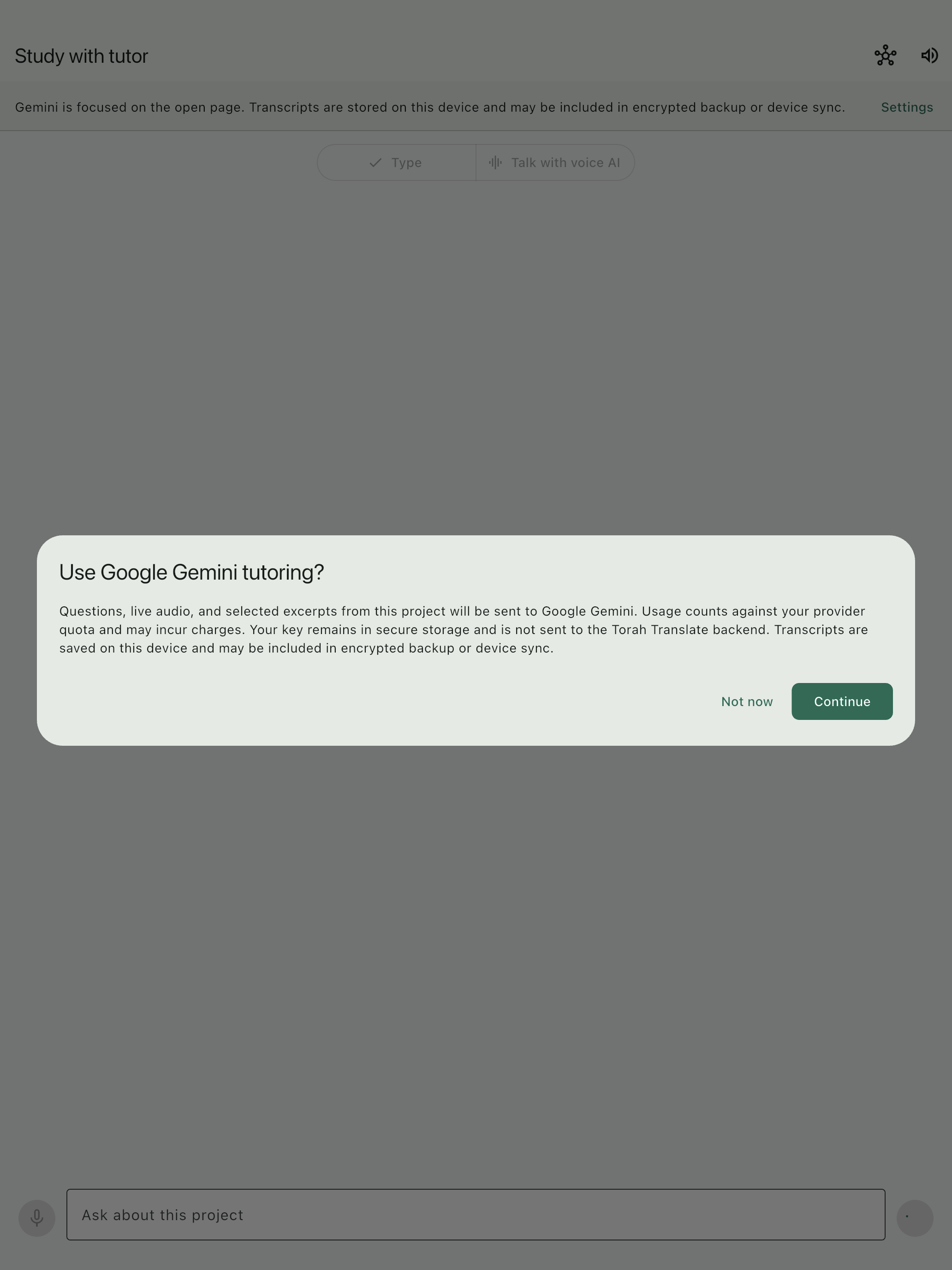
Before project-grounded cloud tutoring begins, the app presents a consent explanation. Required project excerpts, questions, images, or live audio may be sent to the selected provider. Voice services can price text input, audio input, text output, and audio output differently, including cached modalities. In-app figures are planning estimates, while the provider invoice is authoritative. If pricing is unavailable, a budget cannot be reliably enforced. Saved transcripts may also be included in configured encrypted backup or device sync.
9. Export and protect the work — 5:07
When the page is ready for study or review, export a reading copy with a content-specific filename rather than a generic document name. Treat the exported PDF as a study artifact, not a substitute for the verified project state. Then use backup and recovery controls to preserve source images, edited OCR, translations, tags, notes, references, and review items. Torah and Chassidus Translate keeps the source in view and makes the next question possible. AI output requires review. Provider charges and terms may apply.